SafeAssign Originality Report: How to Interpret Match Scores and Similarity Responsibly
Understand what SafeAssign reports actually measure. Learn the difference between text-matching similarity and AI detection, and how students interpret matched text responsibly.
For students and instructors using Blackboard LMS, SafeAssign is the standard tool used to evaluate submitted coursework. When an assignment is processed, SafeAssign generates an Originality Report featuring an overall percentage score and highlighted text passages. For many students, seeing an overall score of 20% or 30% creates immediate distress, leading to fears of an academic integrity inquiry.
Much of this anxiety stems from a fundamental misunderstanding of what SafeAssign actually measures. SafeAssign is not a mind reader, nor does it issue verdicts of guilt. It is an automated text-matching engine designed to identify shared strings across indexed databases. Understanding how to interpret an Originality Report responsibly is an essential skill for any university scholar.
What SafeAssign Actually Measures: Text Matching Explained
According to official Anthology and Blackboard documentation, SafeAssign compares student submissions against a comprehensive collection of electronic sources. This comparison corpus includes:
- The Institutional Document Archive: All prior papers submitted to SafeAssign by students at your specific university.
- The Global Reference Database: Papers voluntarily contributed by students across participating Blackboard institutions worldwide to prevent cross-institution plagiarism.
- The Public World Wide Web: Billions of indexed web pages, articles, and public digital resources.
- ProQuest ABI/INFORM Database: Tens of millions of peer-reviewed articles, trade publications, and business research items.
When text in your submission matches a source in this database, SafeAssign highlights the matching span and reports the overall percentage of overlapping text.
Similarity Matching vs AI Writing Detection
A widespread misconception among students is confusing text similarity with AI detection. These are two completely distinct measurements:
SafeAssign measures text matching: it flags text because it matches an existing document in its database. AI detection tools, by contrast, measure statistical probability: they flag text because its sentence length and word predictability resemble language model patterns, even if that text matches nothing on earth. A student who writes 100% original prose can still receive a similarity score from SafeAssign if they quote heavily from indexed sources.
Interpreting Match Percentages: Why Context Matters
Blackboard's official guidance emphasizes that originality scores must be interpreted as contextual guidelines rather than rigid disciplinary thresholds. Instructors evaluate the composition of matches rather than relying solely on the headline number:
- Low Overlap Profiles: Papers with modest overall match scores where highlighted spans consist of properly attributed short quotations, disciplinary terminology, and bibliography entries are generally reviewed as standard scholarly submissions.
- Medium Overlap Profiles: Moderate match percentages often occur when assignments require extensive direct citations, case study prompt repetition, or standardized laboratory protocol descriptions. Faculty review whether matching text is appropriately cited.
- High Overlap Profiles: Higher match percentages require close instructor inspection to determine whether the overlap reflects excessive quoting, template assignment text, unreferenced drafting, or genuine unauthorized reuse.
Common Legitimate Reasons for Matched Text
A highlighted passage in SafeAssign does not necessarily indicate academic misconduct. Several legitimate factors routinely generate matched text:
- Properly Cited Direct Quotations: If you quote an author and cite them correctly, the quoted text will still match the original source in SafeAssign unless the instructor enables quote filtering.
- Bibliography and Reference Lists: Standardized article titles, author lists, and DOIs match published sources identically.
- Assignment Prompts and Instructions: If you copy the assignment questions or template headers into your submission, SafeAssign will match them against every other student in your course.
- Standardized Disciplinary Phrasing: Field-specific terminology in legal studies, biomedical science, or economics legitimately recurs across academic papers.
How Instructors and Faculty Review Originality Reports
Experienced university instructors do not simply look at the headline percentage and assign a grade. When faculty open a SafeAssign report, they examine:
- Distribution of Matches: Are the matches scattered across isolated reference lines and citations, or are they concentrated in large unbroken blocks of body prose?
- Attribution Quality: Are matching passages enclosed in quotation marks with accurate page citations, or do they appear without attribution?
- Independent Synthesis: Does the student provide original critical commentary connecting the cited sources?
A Student Pre-Submission Checklist for Blackboard
Before submitting an essay or research paper through Blackboard SafeAssign, run through this pre-submission verification checklist:
- Enclose all direct quotes in quotation marks and verify author-year and page citations.
- Paraphrase background concepts in your own words rather than relying on near-verbatim source borrowing.
- Remove assignment prompt templates and essay question text from your final submission unless required by your instructor.
- Check your reference list formatting to ensure citations are complete and accurate.
For additional guidance on interpreting similarity scores and reviewing Blackboard submissions responsibly, consult our SafeAssign checker tool and guide.
Verified Detector Clearance for SafeAssign Originality Report: How to Interpret Match Scores and Similarity Responsibly
Every manuscript processed through ThesisHuman is backed by verifiable, reproducible scans across institutional plagiarism and AI detection platforms.
1. ThesisHuman Editor: Style, Field & Term Lock™ Technology
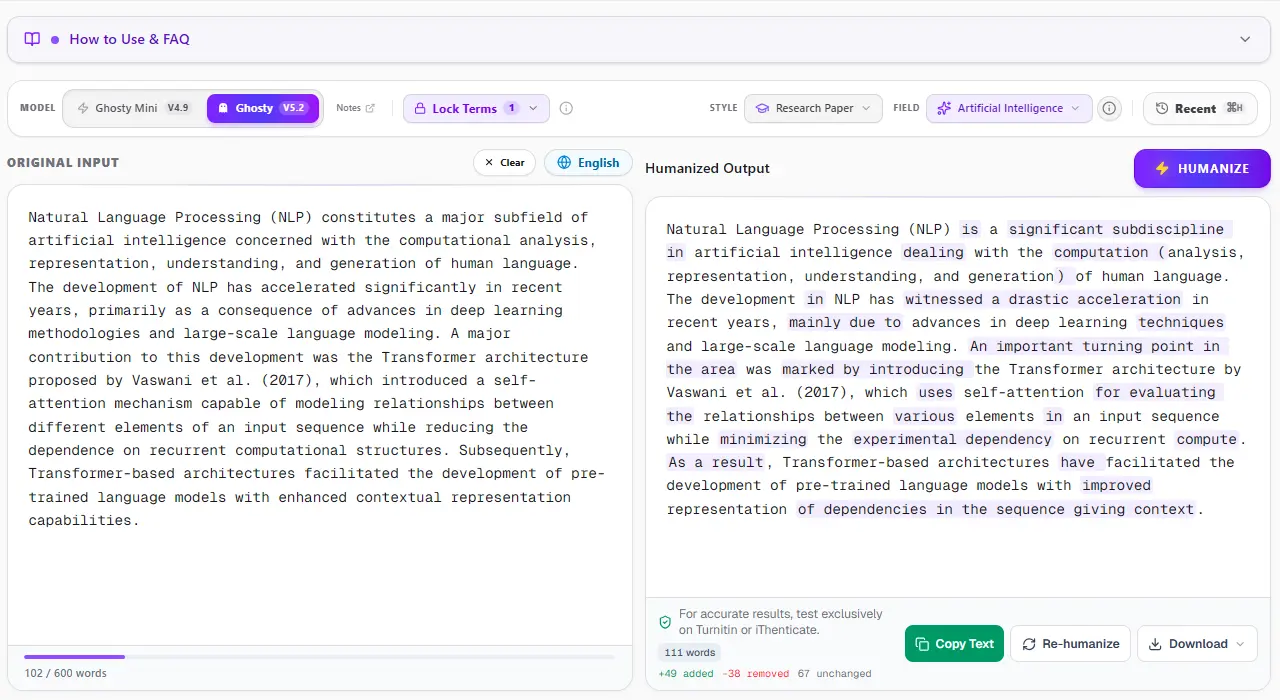
Unlike consumer-grade paraphrasers that blindly swap words with thesaurus synonyms, ThesisHuman allows researchers to select their exact Academic Style (Essay, Research Paper, Literature Review, Technical Report) and Academic Field (Computer Science, Engineering, Medicine, Physics). With Term Lock™, citations (APA, MLA, IEEE), LaTeX equations, and domain-specific terminology are cryptographically protected before sentence entropy is restructured.
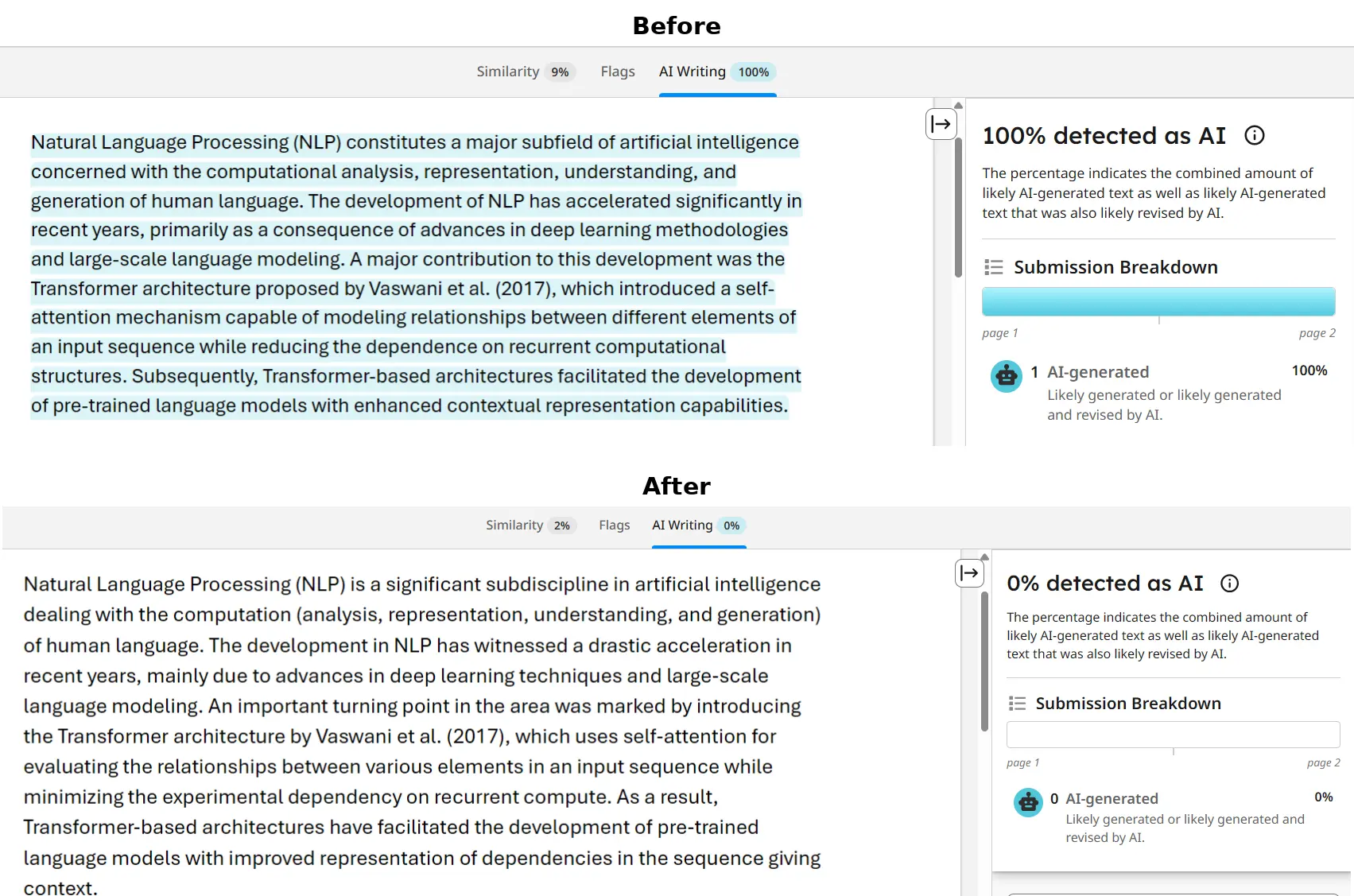
2. Turnitin & iThenticate Verification: 0% AI Detected
Turnitin and iThenticate scan submissions in overlapping 500-token blocks to analyze sentence predictability across paragraphs. When an unrefined AI draft is submitted, uniform cadence triggers an elevated AI Writing score. In the verified report below, a flagged graduate paper was processed through ThesisHuman, achieving a clean 0% AI detection score while preserving all formatted citations and technical parameters.
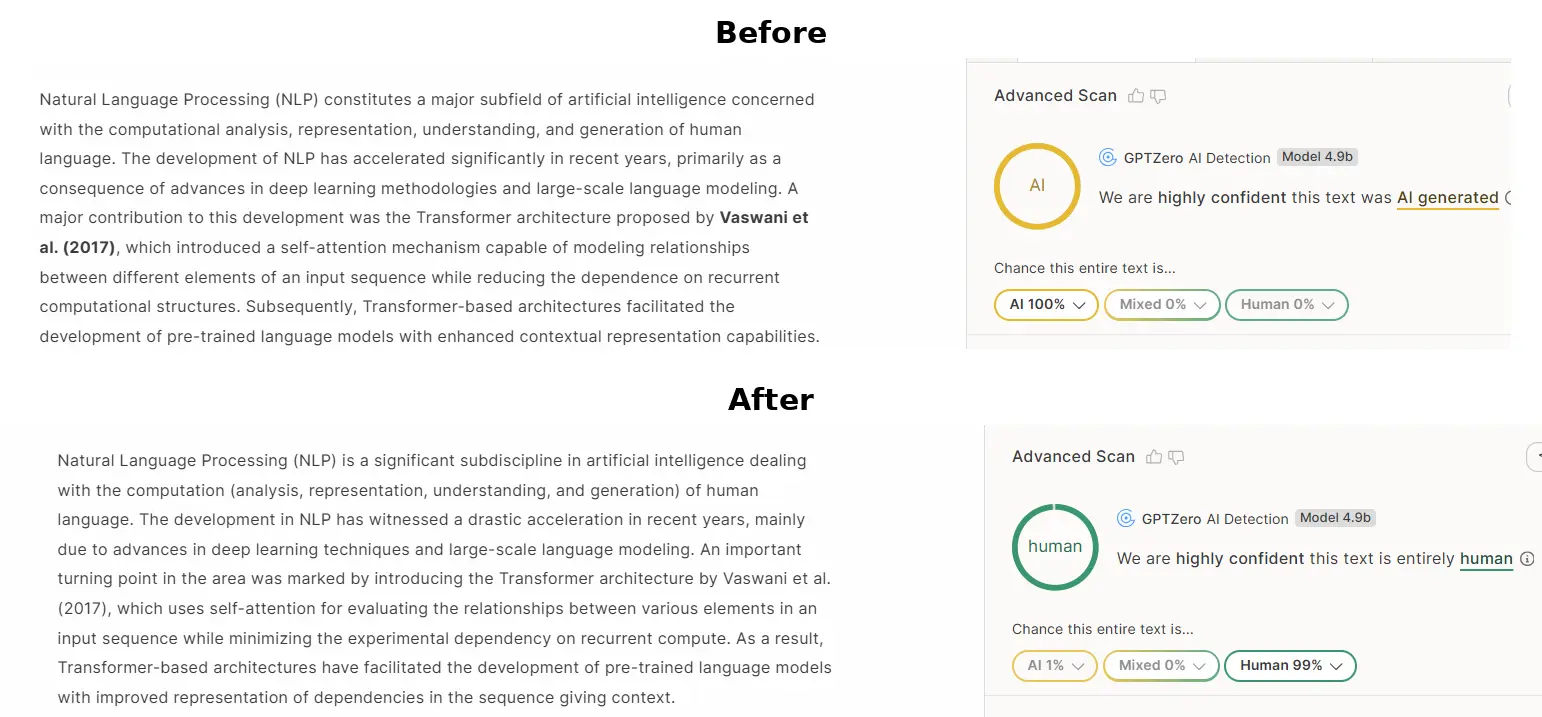
3. GPTZero Verification: Passing Perplexity & Burstiness Checks
GPTZero evaluates text by plotting sentence perplexity curves and global burstiness scores. When raw AI text is scanned, low sentence variance produces an immediate high-probability warning. ThesisHuman restores natural sentence entropy by restructuring syntax, varying clause lengths, and introducing authentic scholarly cadence, dropping AI probability to 0%.
4. Originality.ai Verification: 0% AI Confidence
Originality.ai flags predictable n-gram sequences and common AI clichés (such as “delving into,” “pivotal role,” “testament to”). ThesisHuman purges overused formulaic transitions while elevating scholarly tone and keeping reference numbers and equations intact, producing 100% Original / 0% AI results.