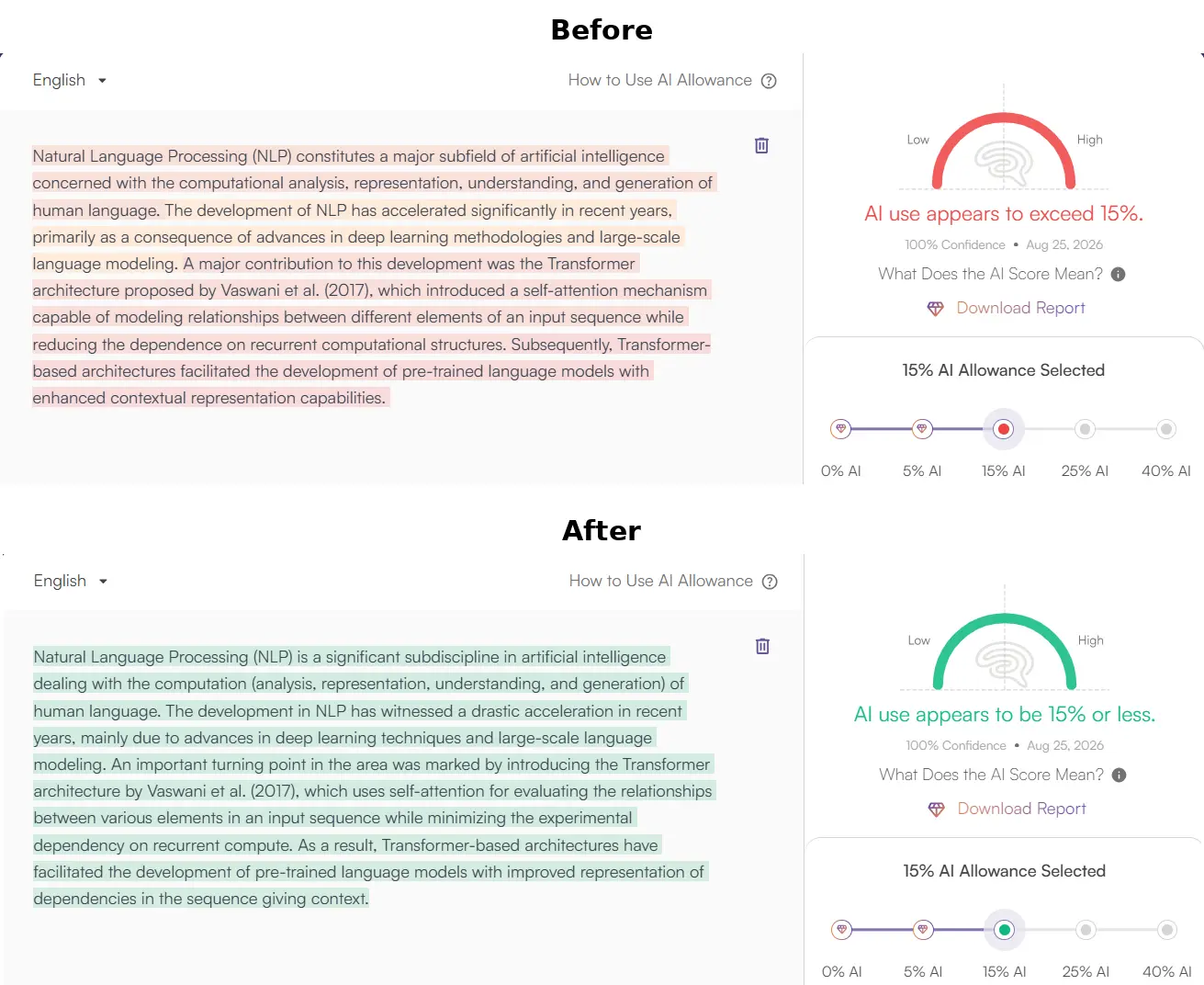
Copyleaks AI Detection in Canvas LMS: How It Works, Why It Flags Drafts, and How to Naturalize Submissions
As Canvas LMS's primary AI integrity partner, Copyleaks scans university assignments directly within SpeedGrader. Understand the difference between AI Source Match and AI Phrases, and learn how to submit clean, naturalized academic work.

Across hundreds of universities and colleges, Canvas LMS has updated its assessment pipeline. Through a partnership between Instructure and Copyleaks, student assignments are now routinely scanned using the Canvas Asset Processor (LTI 1.3). When you upload an essay, case study, or research paper to Canvas, your instructor does not have to copy your text into an external website. The moment they open SpeedGrader, a Copyleaks badge displays your originality score and an estimated AI writing percentage.
For students who use AI as a research partner, grammar checker, or drafting assistant, and for many who write entirely by hand, this automated pipeline creates intense anxiety. A single high score in SpeedGrader can trigger an academic misconduct inquiry before a grading rubric is even applied. Understanding how Copyleaks evaluates text inside Canvas is essential for ensuring your work is fairly evaluated.
Copyleaks and Canvas: The LTI 1.3 Asset Processor Architecture
The transition to Canvas's LTI 1.3 framework integrated Copyleaks directly into the native assignment workflow. In older systems, instructors had to configure external tool assignment types; today, scanning can be enabled via a single setting on any standard assignment submission. As documents (PDF, DOCX, or plain text) are uploaded, they pass through the Copyleaks Academic Integrity Layer before being rendered in SpeedGrader.
The report generated for your instructor contains two distinct components:
- Similarity Score (Plagiarism Matching): Traditional string-matching against published journals, open web pages, and institutional student paper repositories.
- AI Detection Indicator: A machine-learning probability estimate ranging from 0% to 100%, indicating the likelihood that portions of the submission were generated by an LLM.
Deconstructing Copyleaks 'AI Logic': Source Match vs AI Phrases
Unlike older detectors that simply output an unannotated percentage, modern Copyleaks deployments feature AI Logic, which separates suspected AI text into two distinct diagnostic categories:
1. AI Source Match
This metric flags passages that match verbatim or near-verbatim text previously indexed in Copyleaks' internal databases of confirmed AI-generated material. If you copy a prompt output that many other students have generated and submitted, it triggers an AI Source Match.
2. AI Phrases (Statistical Pattern Matching)
This is where most students get caught. Copyleaks evaluates token n-grams and syntactic predictability. When it identifies phrases that frequently co-occur in machine generation (such as "delving into the multifaceted dimensions" or "underscores the paramount importance"), it highlights them within SpeedGrader, inflating the headline AI percentage.
Why Conscientious Student Writing Gets Flagged
Copyleaks claims high accuracy on controlled benchmark datasets, but real-world academic submissions present structural edge cases that routinely produce false positives:
- Rigid Five-Paragraph Essay Scaffolding: Introductory college writing courses teach formulaic essay structures (hook, background, three-point thesis, standard topic sentences). This predictable scaffolding mirrors machine generation profiles.
- Non-Native English Authors: Scholars writing in English as an additional language naturally rely on standardized sentence templates and high-frequency vocabulary. To a statistical engine, this careful consistency resembles low-perplexity AI output. For broader context, see our analysis of detector false positives among non-native writers.
- Aggressive Grammar Tools: Over-relying on automated rewrite suggestions from standard grammar checkers pushes human prose toward predictable machine cadence.
Step-by-Step Workflow to Clear Copyleaks in SpeedGrader
If you have drafted or polished an assignment with AI assistance, follow this workflow before clicking "Submit" in Canvas:
1. Audit for Copyleaks High-Frequency 'AI Phrases'
Review your draft and delete formulaic filler. Replace generic transitional words with direct subject-verb constructions that state your specific argument.
2. Run Through an Academic Humanizer with Term Lock
Submit your draft to ThesisHuman's AI Humanizer for Copyleaks. The engine breaks up uniform sentence lengths, injects burstiness, and restructures syntactic predictability, while ensuring your APA or MLA citations remain completely untouched.
3. Preserve Document Formatting for Canvas Rendering
Canvas SpeedGrader renders document previews using document conversion services. Ensure your headings, block quotes, and reference indents use clean styles rather than manual spacing, avoiding formatting anomalies that draw unnecessary instructor scrutiny.
What to Do If Your Professor Flags a Copyleaks Report
If an instructor contacts you regarding a high Copyleaks score in Canvas, remain calm and professional. A detector percentage is an algorithmic estimate, not proof of academic misconduct. Major universities have formally instructed faculty that AI detector scores cannot be used as sole evidence for disciplinary action.
Prepare a factual response: export your Google Docs version history showing timestamped keystrokes and drafting stages, provide your initial outline and research notes, and offer to walk through your argument and sources in person during office hours. For an actionable step-by-step protocol, consult our guide on how to defend against false AI accusations.
Verified Detector Clearance for Copyleaks AI Detection in Canvas LMS: How It Works, Why It Flags Drafts, and How to Naturalize Submissions
Every manuscript processed through ThesisHuman is backed by verifiable, reproducible scans across institutional plagiarism and AI detection platforms.
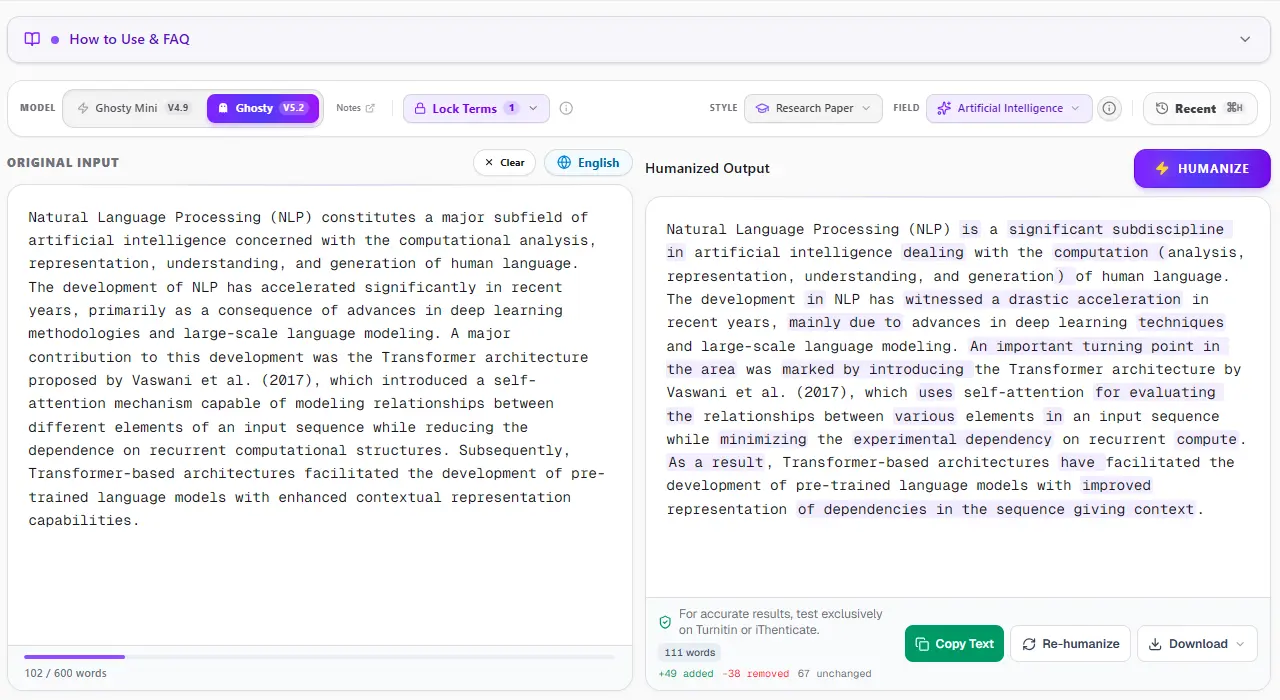
1. ThesisHuman Editor: Style, Field & Term Lock™ Technology
Unlike consumer-grade paraphrasers that blindly swap words with thesaurus synonyms, ThesisHuman allows researchers to select their exact Academic Style (Essay, Research Paper, Literature Review, Technical Report) and Academic Field (Computer Science, Engineering, Medicine, Physics). With Term Lock™, citations (APA, MLA, IEEE), LaTeX equations, and domain-specific terminology are cryptographically protected before sentence entropy is restructured.
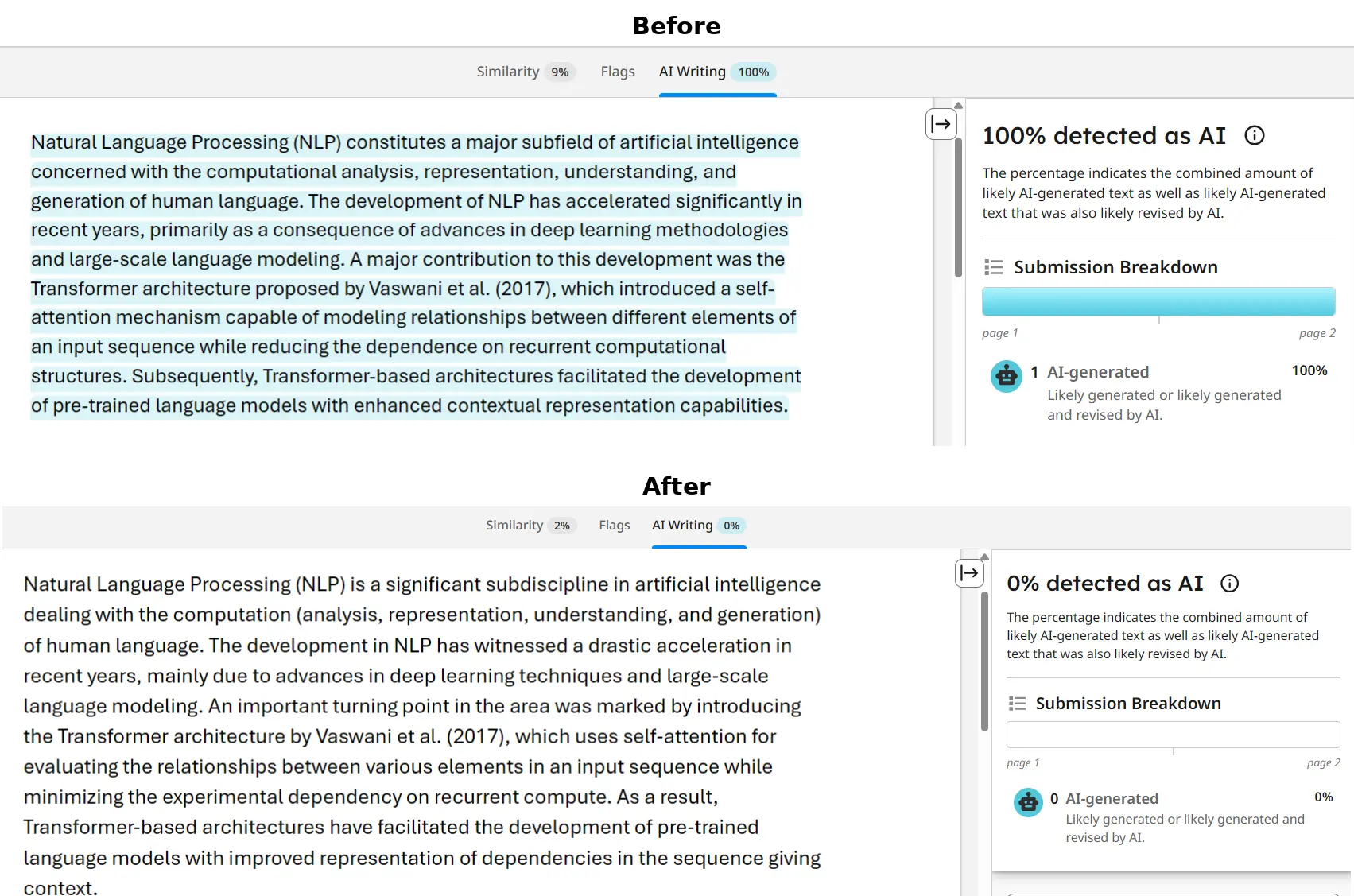
2. Turnitin & iThenticate Verification: 0% AI Detected
Turnitin and iThenticate scan submissions in overlapping 500-token blocks to analyze sentence predictability across paragraphs. When an unrefined AI draft is submitted, uniform cadence triggers an elevated AI Writing score. In the verified report below, a flagged graduate paper was processed through ThesisHuman, achieving a clean 0% AI detection score while preserving all formatted citations and technical parameters.
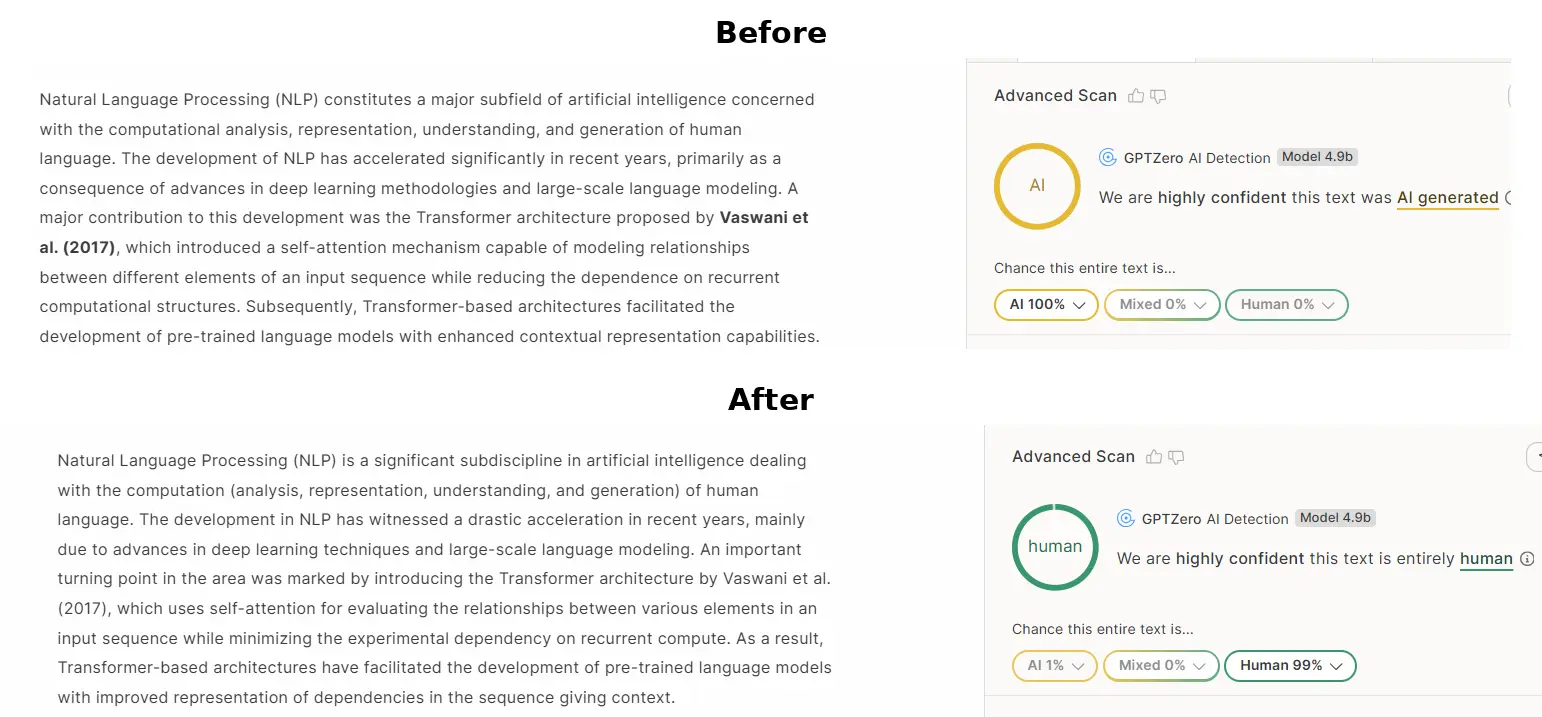
3. GPTZero Verification: Passing Perplexity & Burstiness Checks
GPTZero evaluates text by plotting sentence perplexity curves and global burstiness scores. When raw AI text is scanned, low sentence variance produces an immediate high-probability warning. ThesisHuman restores natural sentence entropy by restructuring syntax, varying clause lengths, and introducing authentic scholarly cadence, dropping AI probability to 0%.
4. Originality.ai Verification: 0% AI Confidence
Originality.ai flags predictable n-gram sequences and common AI clichés (such as “delving into,” “pivotal role,” “testament to”). ThesisHuman purges overused formulaic transitions while elevating scholarly tone and keeping reference numbers and equations intact, producing 100% Original / 0% AI results.