LaTeX-Safe Academic Editing: Protecting Equations, Citations, and Variables
How to edit Overleaf and LaTeX manuscripts with AI assistance without breaking math delimiters, scrambling BibTeX keys, or altering variable cases.

Researchers in computer science, physics, mathematics, and engineering rely on LaTeX for document preparation. Pasting a LaTeX manuscript into standard rewriting tools often breaks syntax: math delimiters disappear, equation environments lose formatting, and BibTeX keys turn into plain text.
Corrupted syntax causes compilation errors that halt document preparation. This guide explains how to edit LaTeX prose safely, preserving math environments, commands, and citation references while refining the text.
Why Standard AI Tools Corrupt LaTeX
Common language models and paraphrasers are trained primarily on standard web text and Markdown. When processing LaTeX source code, they often treat backslashes, curly brackets, and math symbols as ordinary punctuation. Frequent issues include:
- Stripping Delimiters: Converting inline expressions like
$x_i$into plain text or removing dollar signs. - Disrupting Multi-Line Blocks: Removing alignment ampersands (
&) and row terminators (\\) inalign,bmatrix, andcasesenvironments. - Modifying Citation Keys: Changing
\cite{vaswani2017attention}into written text like "(Vaswani, 2017)", breaking BibTeX compilation. - Changing Variable Cases: Switching uppercase matrix notation (
$A$) to lowercase ($a$), which alters the mathematical meaning.
Separating Mutable Prose from Syntactic Anchors
To edit a LaTeX paper without errors, divide your .tex source into editable prose and protected structural code. This approach follows the data integrity guidelines outlined in How to Humanize AI Text Without Altering Facts, Numbers, or Claims.
| LaTeX Element | Syntax Example | Editing Rule |
|---|---|---|
| Inline Mathematics | $\mathcal{L}_{\text{reg}} + \lambda \|\theta\|^2$ | Lock tokens; preserve delimiters intact |
| Citation Macros | \citep{lecun2015deep} | Preserve command name and exact BibTeX key |
| Cross-References | \eqref{eq:loss}, \ref{sec:methods} | Preserve label string exactly |
| Environments | \begin{algorithm}...\end{algorithm} | Maintain structural boundary tags |
The Overleaf and ThesisHuman Editing Workflow
When refining LaTeX manuscripts before screening with platforms like iThenticate, apply this editing sequence:
- Select Prose Sections: Copy paragraph-level text from Overleaf rather than pasting entire preambles or package declarations.
- Enable Term Lock: Paste text into the ThesisHuman interface with LaTeX mode selected. Term Lock identifies math delimiters (
$...$,\[...\]) and citation commands (\cite{...}), freezing them before language processing runs. - Run Language Refinement: ThesisHuman adjusts sentence rhythm and removes repetitive phrasing while keeping all LaTeX code unchanged.
- Recompile in Overleaf: Paste the edited text back into Overleaf and confirm that compilation completes cleanly without new errors.
- Check Git History: Review the Overleaf History or Git diff to confirm that only wording changed and mathematical markup remained untouched.
Pre-Deposit Compilation Checks
Before submitting camera-ready papers to IEEE, ACM, or arXiv, complete three routine checks:
- Review Log Files: Inspect
.bbland.logoutputs for warnings about undefined citations or multiply defined labels. - Check Equation Typography: Confirm that mathematical symbols and font commands such as
\mathbb{R}and\mathbf{x}match previous versions. - Conduct Final Pre-Submission Review: Cross-check your compiled PDF against The AI-Assisted Research Paper Pre-Submission Checklist before official submission.
Verified Detector Clearance for LaTeX-Safe Academic Editing: Protecting Equations, Citations, and Variables
Every manuscript processed through ThesisHuman is backed by verifiable, reproducible scans across institutional plagiarism and AI detection platforms.
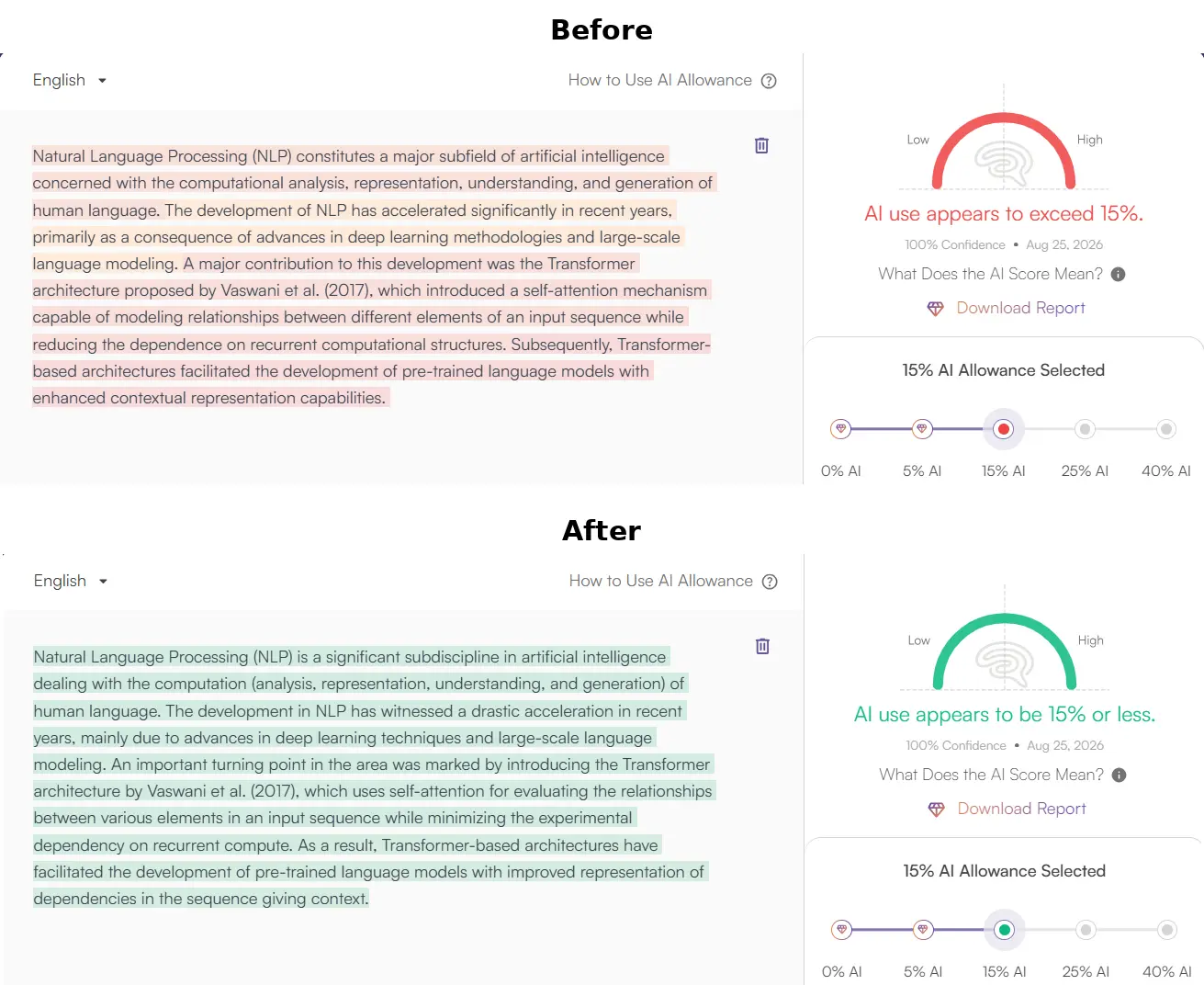
1. ThesisHuman Editor: Style, Field & Term Lock™ Technology
Unlike consumer-grade paraphrasers that blindly swap words with thesaurus synonyms, ThesisHuman allows researchers to select their exact Academic Style (Essay, Research Paper, Literature Review, Technical Report) and Academic Field (Computer Science, Engineering, Medicine, Physics). With Term Lock™, citations (APA, MLA, IEEE), LaTeX equations, and domain-specific terminology are cryptographically protected before sentence entropy is restructured.
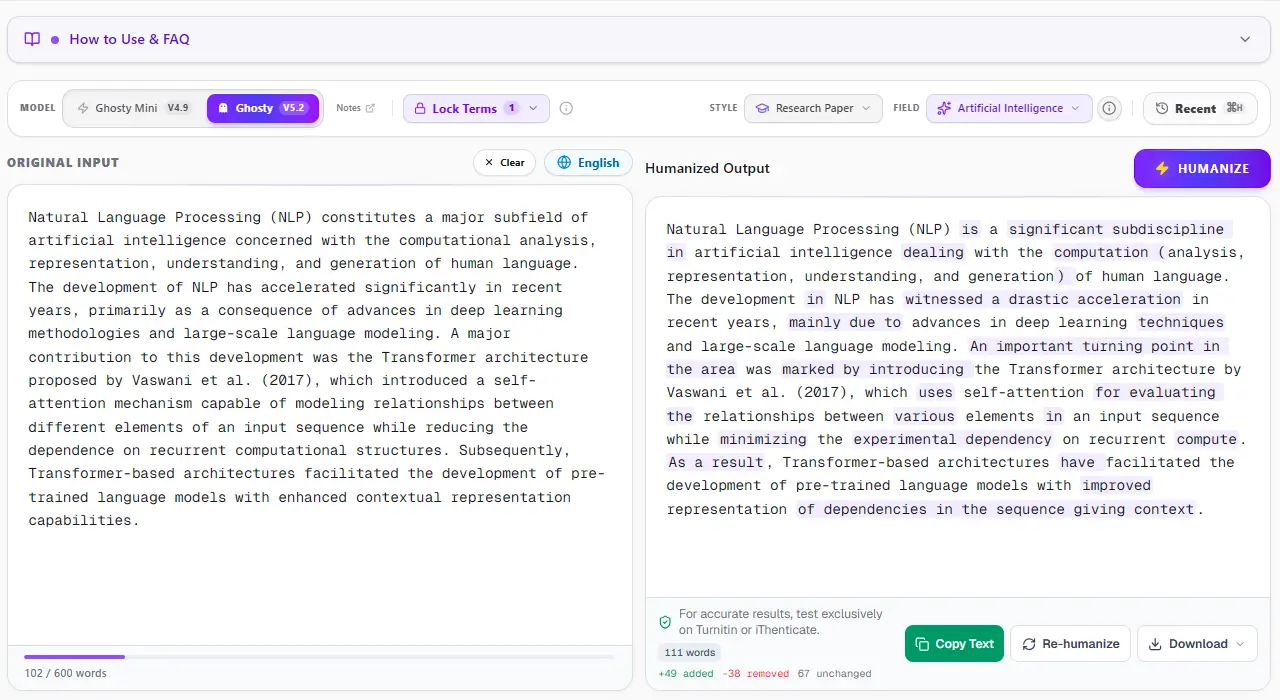
2. Turnitin & iThenticate Verification: 0% AI Detected
Turnitin and iThenticate scan submissions in overlapping 500-token blocks to analyze sentence predictability across paragraphs. When an unrefined AI draft is submitted, uniform cadence triggers an elevated AI Writing score. In the verified report below, a flagged graduate paper was processed through ThesisHuman, achieving a clean 0% AI detection score while preserving all formatted citations and technical parameters.
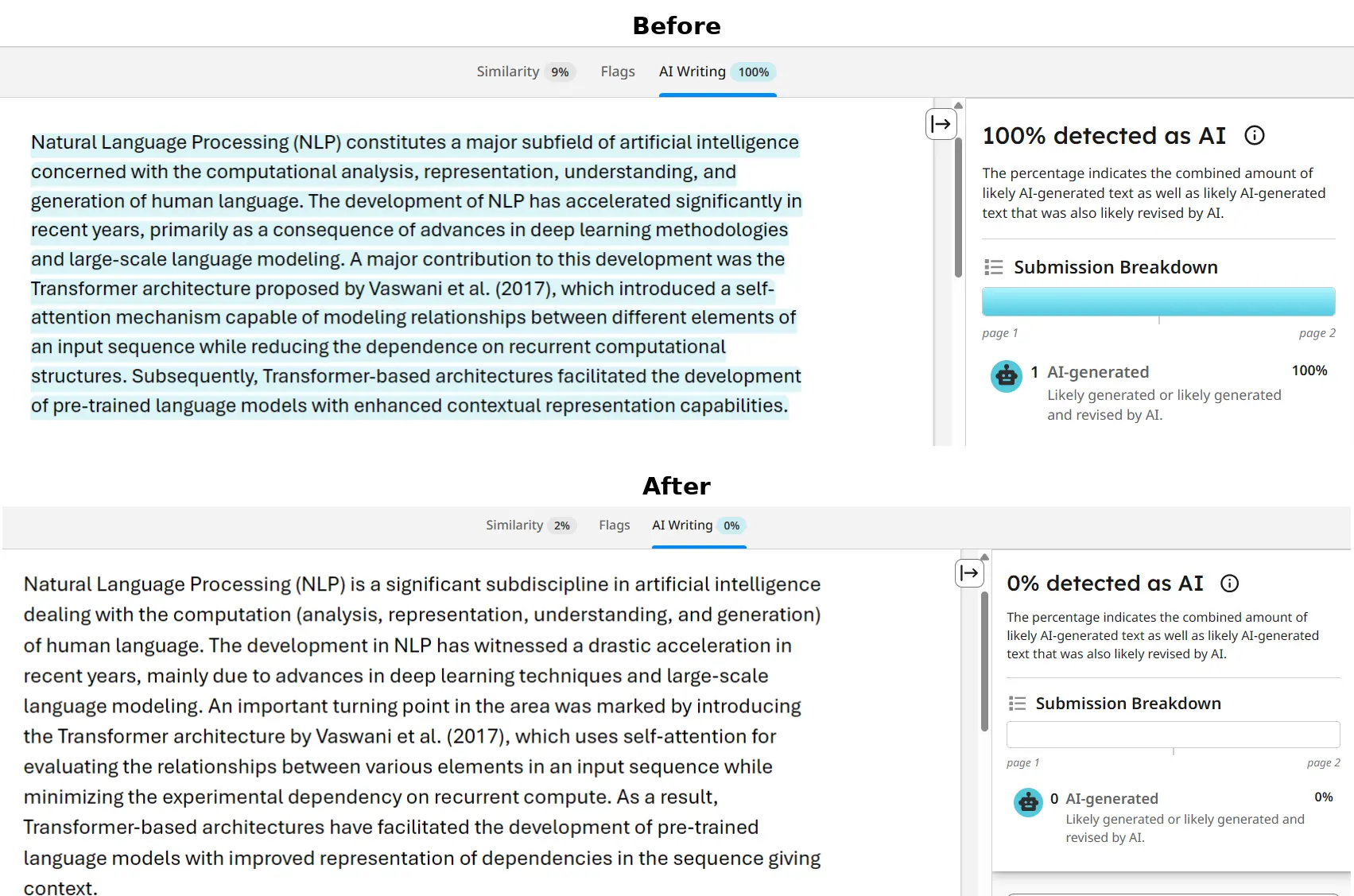
3. GPTZero Verification: Passing Perplexity & Burstiness Checks
GPTZero evaluates text by plotting sentence perplexity curves and global burstiness scores. When raw AI text is scanned, low sentence variance produces an immediate high-probability warning. ThesisHuman restores natural sentence entropy by restructuring syntax, varying clause lengths, and introducing authentic scholarly cadence, dropping AI probability to 0%.
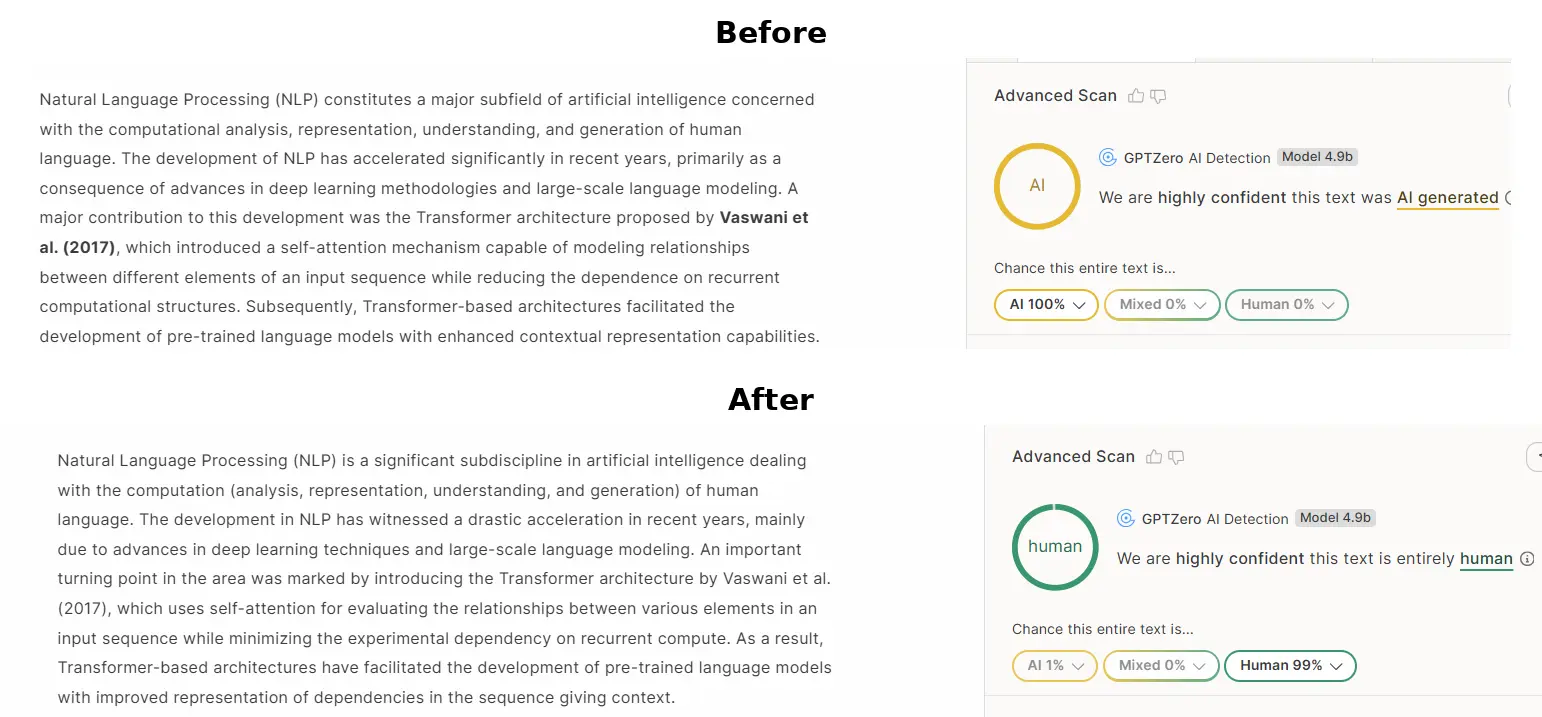
4. Originality.ai Verification: 0% AI Confidence
Originality.ai flags predictable n-gram sequences and common AI clichés (such as “delving into,” “pivotal role,” “testament to”). ThesisHuman purges overused formulaic transitions while elevating scholarly tone and keeping reference numbers and equations intact, producing 100% Original / 0% AI results.